Crop farm management software in Kenya should connect a harvest to the land, season and resources that produced it. Recording only the final sale leaves important questions unanswered: which owned field or rented lease produced the crop, which inputs were issued, what machinery and labour supported the work, how much was harvested, what remains in stock, and which buyers received produce?
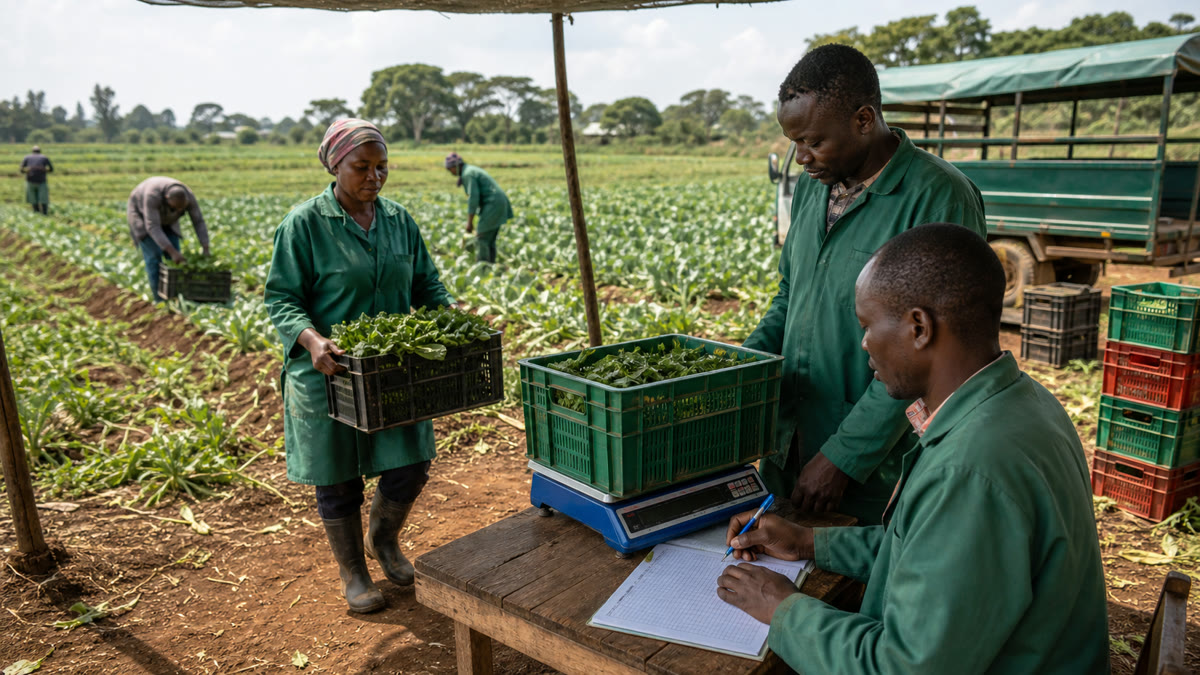
FAMA supports owned fields, rented leases, crops, units, farming periods, input usage, machinery and fuel, staff records, harvests, buyers, sales, accounting and reports in one tenant-isolated farm workspace. It gives crop farms a structured path from setup to harvest reporting. It does not provide professional agronomy, certify production practices or guarantee a particular yield or profit.
Why crop records fragment during a season
A crop season stretches across many events and people. The manager may keep the field plan. The store keeper records fertilizer and crop-protection products. A supervisor manages attendance. The driver tracks fuel. The accountant pays suppliers and records income. At harvest, a clerk records quantities while sales staff speak to buyers. If each person uses a separate book, the owner receives several partial stories instead of one coherent farming-period record.
Rented land adds another layer. A lease has a lessor, acreage, rate, payments, balance and expiry. Inputs and harvests may relate to that lease, yet the lease file may sit apart from the season’s operational records. Good crop management software should preserve both the land obligation and the farming activity connected to it.
Start with the farm structure, not the dashboard
The FAMA farm setup module provides the foundation: owned fields, rented leases, locations, crops, units, lessors and farming periods. A farming period gives the team a consistent season or production context for records. Without this setup, the same block may appear under several names and reports become difficult to compare.
Before daily use, agree on field and lease names, acreage records, crop names and measurement units. Confirm active lease balances and expiry dates. Then create the current farming periods. This preparation is less visible than a chart, but it determines whether later input and harvest reports can answer management questions.
A practical field-to-harvest workflow
1. Register the land and farming period
Create the owned field or rented lease, then associate the crop and current farming period used by the farm. For rented land, keep the lessor, payment, balance and expiry information complete. This establishes the destination to which later operational records can refer.
2. Set up crops, units and suppliers
Use consistent crop and unit directories. If harvest is weighed in kilograms but packed in crates or bags, define how the farm will record the official quantity. Clean units matter because purchase, input issue, harvest and sale records may otherwise describe the same physical goods differently.
3. Record input purchases and field issues
Capture seed, fertilizer, crop-protection products and other inputs from the supplier record, then issue them to the named owned field or rented lease. The FAMA input management module supports purchases, stock balances and usage by field, lease, crop, staff member and date. This helps distinguish stock that remains in store from stock assigned to production.
4. Keep machinery, fuel and staff records current
Record machinery services, fuel usage and relevant drivers through the machinery module. Maintain staff profiles, attendance, salaries and casual-labour records through staff and payroll. These records give the farm a clearer operating-cost context. Management should confirm during a demonstration exactly how the records it needs relate to a farming period and report.
5. Capture harvest by source and date
At harvest, use the farm’s agreed unit and record the crop, source farming period, quantity and date. Weigh or count at a controlled point and resolve rejected, damaged or regraded produce through the farm’s documented procedure. A harvest entry should be timely enough to support stock and buyer reconciliation.
6. Follow produce into stock, buyers and sales
Harvest may be sold immediately or remain as inventory. FAMA supports harvest stock, remaining produce, buyers and sales value. Record movements so management can compare total harvest, quantity still held and quantity associated with buyers or sales. Physical stock checks remain necessary where produce is stored.
7. Review the farming period as a whole
Use the available field, lease, input, machinery, staff, harvest, income and expense reports to review the period. The value is the connected evidence, not a promise that one metric explains performance. Weather, disease, quality, market prices and agronomic decisions still require separate professional and operational judgment.
Harvest and crop records owners should be able to review
The FAMA inventory and harvests module follows produce after it leaves the field. Together with setup and other modules, relevant records include:
- owned fields, rented leases, crops, units and farming periods;
- lessors, lease payments, balances and expiry dates;
- input purchases, stock balances and issues by field or lease;
- machinery service and fuel records;
- staff attendance, payroll and casual-labour records;
- harvest quantity, value, remaining produce and buyer records;
- income, expenses, cashbook entries and profit/loss reports; and
- printable and exportable operational reports.
Owners should compare source records, not just totals. For example, a low remaining-produce balance is meaningful only if all harvest receipts and buyer movements were entered. A field usage report is useful only if store issues consistently identify the correct destination.
Buying checklist for harvest tracking software
Ask the provider to demonstrate one recent crop period from land setup to sale. The test should show:
- both owned fields and rented leases;
- lease payments, balances and expiry information;
- crop, farming-period and unit setup;
- input purchases and issues to the correct field or lease;
- harvest entry by crop, source, quantity and date;
- remaining produce, buyers and sales records;
- permissions for managers, store keepers, accountants, supervisors and owners;
- financial and operational reports, printing and exports; and
- how corrections and opening balances are handled.
Bring actual anonymized records rather than a fictional perfect season: one lease or field, a recent input issue, a harvest weight sheet and a buyer record. This reveals whether names, units and responsibilities match the farm’s routine.
Implementation steps for a crop farm
- Map active land. List owned fields, rented leases, acreages, locations and current obligations.
- Choose the live farming periods. Start with crops currently in production or approaching harvest.
- Clean crops and units. Remove duplicate names and agree on official purchase, stock and harvest units.
- Enter verified opening balances. Count inputs and harvested produce before transfer.
- Add current people and assets. Set up suppliers, staff, machines and buyers needed for active work.
- Assign role-based users. Match access to the real duties of each team member.
- Adopt a daily recording deadline. Purchases, issues, attendance, fuel and harvest should not wait until season end.
- Review one period weekly. Resolve missing destinations, unit problems and stock differences while the facts are fresh.
Use crop information with agronomic guidance
Operational software organizes what the farm records; it does not prescribe crop husbandry. For research and extension information, Kenyan producers can consult the Kenya Agricultural and Livestock Research Organization. The FAO Plant Production and Protection programme also provides international technical resources. Farm managers should apply qualified, crop-specific advice and approved product directions alongside their FAMA records.
How harvest tracking supports better conversations
A connected record helps the manager and accountant discuss the same season. The manager can explain field activity and harvest quantity. The store keeper can explain inputs issued and produce remaining. The accountant can explain supplier cost, payroll, income and buyer records. The owner can review these perspectives through the broader FAMA farm management system without rebuilding the season from several spreadsheets.
This does not turn correlation into proof. Higher input usage may reflect acreage or field conditions; a lower sales value may reflect quality or timing. The system makes the underlying records easier to examine so the farm can ask informed questions.
Frequently asked questions
Can FAMA manage owned fields and rented leases?
Yes. FAMA supports both, including lease lessors, payments, balances, acreage, dates and farming-period context.
Can inputs be linked to a specific crop area?
FAMA supports input issues to owned fields or rented leases with crop, staff and date context. The farm should use consistent field names and units.
Can FAMA track harvest that has not yet been sold?
Yes. Demonstrated inventory and harvest features include harvest stock, remaining produce, buyers and sales value. Physical counts remain essential.
Does FAMA advise on planting rates or chemical use?
No. FAMA is an operational and accounting record system. Crop decisions should follow qualified agronomic advice, approved labels and the farm’s production plan.
Where can I see all supported records?
Visit the FAMA home page and review the current FAMA feature list for leases, inputs, machinery, staff, inventory, harvests, accounting and reports.
Demonstrate one real crop period from field to buyer
Request a focused FAMA demonstration and bring an anonymized field or lease record, one input issue, a recent harvest sheet and a buyer or sale record. Testing your own sequence is the clearest way to judge setup, reporting and team fit.