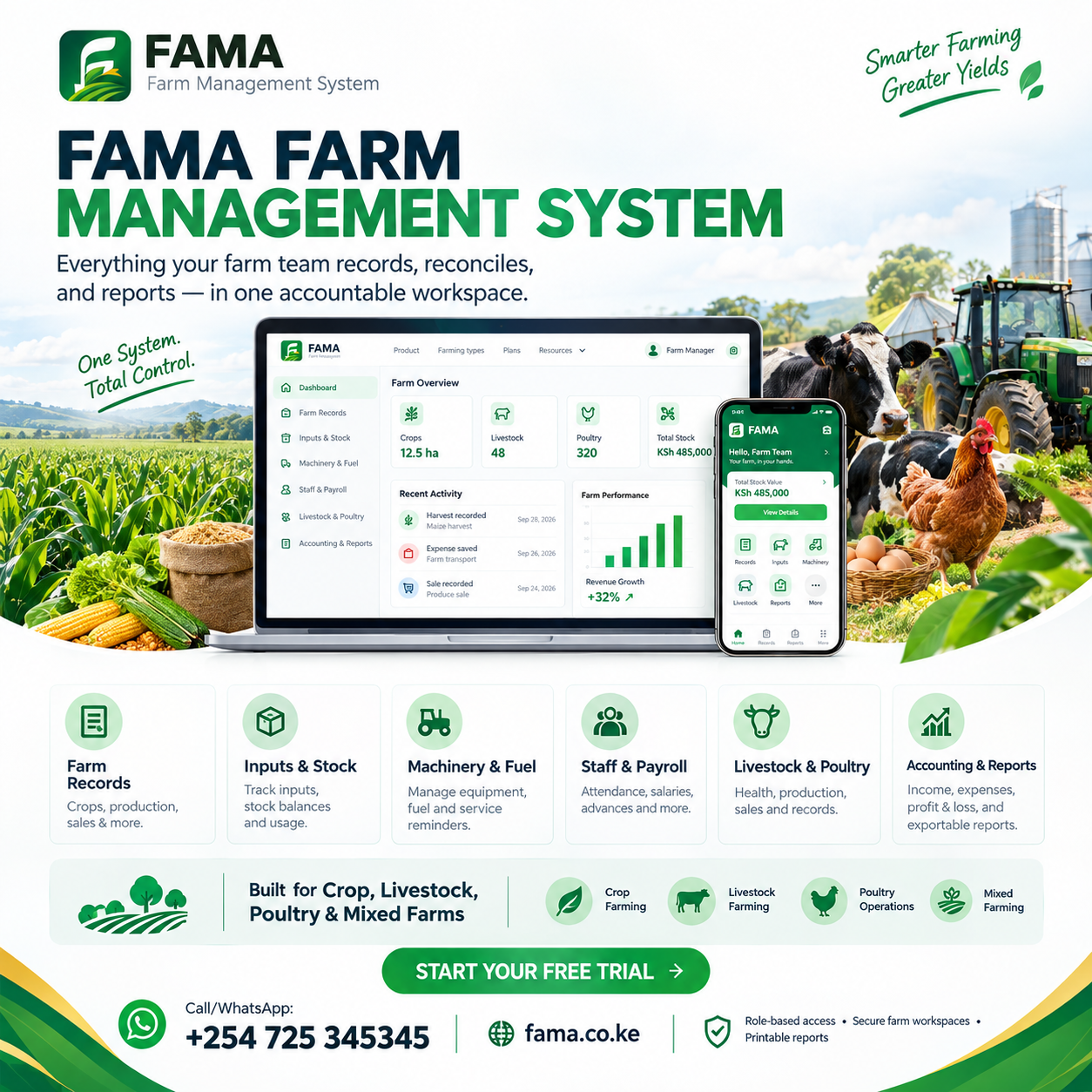
Farm records software for farm teams is the shared digital system that lets an entire farm workforce — owner, managers, supervisors, and field workers — record, access, and act on the same farm data simultaneously, each from their own phone, each seeing exactly what their role requires. Farms are team enterprises: the milking happens before dawn by one pair of hands, the spraying happens at noon by another, the sales close in the evening by a third — and until recently, the records of all that work lived in three separate notebooks that never spoke to each other.
The single-user era of farm software solved half the problem. The owner could finally keep records — but the owner was still the bottleneck, transcribing what workers reported, reconstructing what they forgot, and guessing at what happened in the field after they left.
Shared records software removes the bottleneck structurally. The worker logs the feed issue at the store; the supervisor confirms the harvest at the block; the manager sees both updates the moment they land; and the owner reviews the whole farm from anywhere — one system, one truth, every hand contributing.
This guide examines farm records software for farm teams in full: why team record keeping fails on paper, what a shared system actually does, the roles and permissions that keep data clean, the daily workflows that make teams adopt it, how to overcome worker resistance, and how to choose and implement the right platform for your crew.
Table of Contents
ToggleWhat Farm Records Software for Teams Actually Is
At its core, farm records software for farm teams is a multi-user platform where every member of the workforce records farm activity from their own device, and every entry flows into one shared database in real time. The records are the same ones any farm keeps — crops, livestock, inventory, tasks, sales, expenses — but the capture is distributed across the hands that actually do the work.
The architecture has three layers. The capture layer is mobile: workers and supervisors record activities in the field, offline where networks fail, with entries syncing automatically when signal returns. The data layer is central: one database holds the farm’s entire history, so every user works from identical, current information.
The view layer is personal: role-based screens show each person what their work requires — workers see their tasks and their own records, supervisors see their crews and sections, managers see everything, and the owner sees the whole farm plus the money. This three-layer design is what separates genuine farm records software for farm teams from a single-user app shared around on one phone.
The practical test of the category is simultaneity. Two supervisors recording different blocks at the same moment, a storekeeper issuing feed while a milker logs production, and the owner reviewing yesterday’s numbers — all without conflict, duplication, or waiting. Systems built for teams handle this natively; systems built for one user break exactly here.
Why Single-User Record Keeping Fails When Teams Run the Farm
The first failure is the transcription gap. Whatever the worker does in the field travels to the record through the owner’s memory or a verbal report — and every hand-off between observation and entry loses accuracy. Research into farm data quality consistently shows that transcribed records drift from reality within weeks, while directly captured records stay close to it.
The second failure is timing. A record entered at the end of the day describes a morning that has already blurred; a record entered next week describes a guess. Field-capture through farm records software for farm teams timestamps the event where it happened, which is the difference between data and recollection.
The third failure is the single point of failure itself. When one person holds the records, the farm’s operational memory is hostage to their presence, their phone, and their goodwill. Teams on shared systems keep recording regardless of who travels, falls ill, or leaves — and the farm’s history survives every departure intact.
The fourth failure is accountability. Records entered by one person on behalf of everyone attribute nothing to anyone, which means inputs vanish without a trail, tallies carry no names, and disputes have no referee. Shared systems attribute every entry to its author automatically — the foundation of every discipline this guide describes.
The fifth failure is scale. A farm of two can share one notebook; a farm of twenty cannot. The threshold where single-user records collapse is lower than most owners expect — often around the third or fourth worker — and the farms that feel the collapse usually respond by abandoning records entirely, which is the most expensive outcome available. Team-based farm records software for farm teams exists precisely to make the record survive the team’s growth.
Roles and Permissions: Who Sees What, Who Records What
Role design is the first configuration decision in any team system, and it deserves care because it determines both data quality and worker trust. A well-designed farm records software for farm teams deployment defines four standard roles — owner, manager, supervisor, and field worker — each with its own view and its own recording rights.
The owner sees everything: full dashboards, financials, every enterprise, every worker’s history, and the audit trail. The manager sees operations without necessarily seeing every sensitive figure — or sees everything, depending on the farm’s structure. The supervisor sees their assigned crews, blocks, or herds, and records on behalf of workers who lack devices.
The field worker sees the narrowest view: today’s tasks, their own entries, and their own tally or attendance history. This narrowness is a feature, not a limitation — workers engage more willingly with a system that shows them their own work without exposing the farm’s finances, and clean role boundaries are what make farm records software for farm teams adoption voluntary rather than resented.
Permissions also protect the data itself. Recording rights can be restricted — a worker can log an activity but not edit it afterward, a supervisor can approve entries but not delete them, and nothing is ever erased without a trace. The audit trail that records who entered what, when, and what changed is the system’s quiet integrity guarantee.
Core Features That Matter for Team Record Keeping
Multi-User Access With Individual Logins
The foundational feature is individual identity: every user logs in as themselves, on their own device or a shared one, and every entry carries their name. Shared logins destroy attribution and are the first thing to refuse when evaluating farm records software for farm teams — identity per user is the system’s entire accountability engine.
Offline Capture in the Field
Farm work happens exactly where networks fail, so genuine offline capability is non-negotiable: entries, photos, and counts recorded on the device without signal, synced automatically on reconnection. Test this feature in a real no-signal corner of your own farm during any trial, because claimed offline support and real offline capture are different products.
Task Assignment and Completion
Tasks flow through the same shared system: the manager assigns work to crews with fields, standards, and deadlines; workers see their assignments on their screens; and completion is confirmed from the field with quantities and photos. This closed loop is what turns farm records software for farm teams from a recording tool into a coordination tool.
Real-Time Sync and Shared Dashboards
When entries sync in real time, everyone works from the same present: the owner reviewing this morning’s milking while the afternoon’s harvesting is still being logged. Shared dashboards update continuously, so the daily question “where are we?” always has a current answer.
Photo and Evidence Attachment
A photo attached to an entry converts a claim into documentation: the sprayed block, the delivered feed, the completed bed, the sick animal. Evidence attachment costs seconds at capture and settles disputes for years afterward.
Alerts and Notifications
The watching layer keeps teams aligned without meetings: reminders when vaccinations fall due, alerts when tasks slip past deadlines, notifications when entries need approval. Configured once, these automatic prompts carry the farm’s calendar so no single person has to.
Approval Workflows
Where verification matters, entries can route through approval: a worker’s tally is confirmed by the supervisor before it counts, a store issue is validated before it deducts stock. Approval workflows add a quality gate to farm records software for farm teams without adding friction — and they teach the data culture faster than any training session.
The Daily Team Workflow: Morning to Evening
The active day begins with the assignment: the manager or supervisor issues the day’s tasks through the system — who works where, on what, to what standard. Workers arrive knowing their assignments from their screens rather than from whoever remembered to tell them.
Through the day, capture happens at the point of work: the milker logs litres at the dairy, the storekeeper issues feed against the herd, the spraying crew records blocks and rates, the harvest crew counts crates at the collection point. Each entry lands in the shared record the moment it is made.
The owner or manager watches the day assemble in real time — production accumulating, tasks completing, exceptions surfacing. This live visibility is the daily dividend of farm records software for farm teams: problems caught while the day can still absorb them.
The evening closes the loop: incomplete tasks flagged for tomorrow, discrepancies reviewed, and the day’s records reconciled against physical counts where they matter. Fifteen minutes of evening review, powered by entries the team made all day, replaces the hour of reconstruction that paper-based farms perform nightly and never finish.
Attribution and Accountability: The Records That Change Behaviour
Every entry in a team system carries its author, and that attribution changes behaviour more than any rule ever written. Inputs issued against names stop vanishing quietly. Counts recorded by identifiable hands get recorded honestly. Activities logged under timestamps get logged truthfully.
The change is not primarily about catching wrongdoing — it is about making good work visible. The worker whose recorded output is accurate and strong now has evidence that follows them: for recognition, for reward, for promotion. Structured farm records software for farm teams records turn the farm’s best performers from unsung into documented.
Accountability also flows upward. Managers’ decisions acquire the same attribution as workers’ entries — who assigned what, who approved what, who adjusted which figure — so the system’s transparency runs in every direction. Teams that see fairness flow both ways defend the system; teams that see it flow one way route around it.
The dispute-resolution value completes the accountability case. Payday arguments, input-shortage mysteries, and quality disputes all resolve from the record rather than from volume — and the farm that answers every question with a timestamped entry spends its supervision time on work instead of on arbitration.
Communication and Coordination Features
Team software increasingly carries the farm’s communication too: comments on tasks, notifications on completions, broadcast announcements to all staff or selected crews. Keeping coordination inside the records system means every message sits beside the work it concerns — context preserved instead of scattered across WhatsApp threads.
The coordination value is sharpest at handovers: the evening shift arriving to a screen that shows exactly what the morning shift completed, flagged, and left pending. Farms running two-shift operations through farm records software for farm teams handovers report fewer duplicated tasks and fewer dropped ones — the two chronic failures of verbal shift changes.
Announcements and documentation belong in the same place: the season’s spray schedule, the standing instructions, the safety notices — all filed where every worker can find them without asking. The system becomes the farm’s operational memory in the most literal sense.
Getting the Team to Adopt the System
Adoption is the make-or-break variable in every deployment, and it is won or lost in the first two weeks. The farms that succeed treat rollout as leadership work: the purpose explained before the first login, the benefits framed honestly, and the workers’ own questions answered before they become resistance.
The framing that works is truthful: the system protects accurate pay, makes good workers visible, records attendance fairly, and puts each worker’s own history in their own hands. Every one of those claims is real — and workers recognise real when they hear it.
Training happens on real work, not demonstrations: the first session uses today’s actual tasks, the actual store, the actual herd. Short sessions repeated beats long sessions once — and the supervisors trained first become the trainers who carry farm records software for farm teams adoption through the rest of the crew.
The first month needs disproportionate attention: daily entry reviews, immediate correction of habits, visible celebration of good records. The teams that adopt fully describe the same inflection point — the moment a worker’s own record settled a dispute in their favour — after which the system defends itself.
Resistance has predictable sources, and each has a response. Fear of surveillance is answered by transparency toward workers; fear of complexity is answered by simple screens and patient training; and fear of replacement is answered by the truth — the system records work, it does not perform it.
Farm Records Software for Teams vs Notebooks, WhatsApp and Spreadsheets
The notebook is where farm recording begins, and its team limitation is absolute: one book, one keeper, everyone else reporting verbally. Entries cannot be shared, attributed, or searched, and the book dies with its keeper’s presence.
WhatsApp groups are the modern halfway house, and they deserve honest assessment. They coordinate beautifully — messages fly, photos arrive — but they are not records: nothing reconciles, nothing totals, nothing attributes, and the important message scrolls away beneath sixty others within a day. Teams that try to keep records in farm records software for farm teams alternatives like group chats discover that communication and record keeping are different jobs.
Spreadsheets climb further and fail at the same wall: one file, one editor, one device — and every attempt to share it produces version conflicts that quietly corrupt the numbers. The spreadsheet farm with four workers is already maintaining three versions of a record that should be one.
Structured team software solves what all three cannot: many people recording simultaneously, entries attributed automatically, data reconciling continuously, and every history searchable from any device. The migration from notebook or group chat to farm records software for farm teams is consistently described by farms as the moment record keeping stopped being a chore and started being an asset.
How to Choose the Right System for Your Team
Fit to your team’s shape comes first: how many users, how many sites, which roles, which devices. Walk your actual crew structure through any candidate farm records software for farm teams during the trial — a supervisor recording for three workers, a storekeeper issuing stock, an owner reviewing remotely — and judge whether each role flows naturally.
Ease for the least technical user decides adoption. The trial’s decisive test is handing the phone to your least tech-comfortable worker and watching them record a real activity unassisted — if they succeed in under a minute, the system will scale to the whole crew.
Offline capability must be verified in the field, not claimed in the brochure, as described above. Role depth matters equally: demonstrate your actual permission structure — what the worker sees, what the supervisor approves, what the owner alone accesses — because generic role systems rarely match real farms without flexibility.
Support and local understanding complete the evaluation: responsiveness, training quality, and familiarity with Kenyan farming realities — crops, seasons, payment systems, languages. Ask every shortlisted farm records software for farm teams provider for customers at your scale whom you can call without their staff present, and weight what those farms say more heavily than any demonstration.
Implementing Team Software Without Disrupting Operations
Begin with the audit: what the farm currently records, who records it, and which activities escape capture entirely. This audit becomes the configuration blueprint — roles defined, permissions set, enterprises and blocks created — before any worker touches the system.
Load the foundation carefully: every worker with a named login and correct role, every block and herd created, opening inventory counted once and entered once, and current tasks loaded so the system starts useful on day one. A farm records software for farm teams deployment is only as trustworthy as its opening data.
Launch with a small core — daily activities, one or two record types — and expand only once the habit holds. Run the first two weeks with daily reviews of every entry: fix mis-tagged records, answer questions fast, and make the early experience of the system responsive and rewarding.
Then hand the system its head: weekly reviews, monthly reconciliations, and the routine that makes records self-sustaining. The farms that supervised intensely early and then relaxed report the smoothest landings — the opposite order produces the opposite result.
Who Needs Team Records Software Most
Commercial farms above roughly five workers need shared records structurally, because below that threshold a disciplined owner can hold the record alone; above it, capture must distribute or decay. Operations that crossed the threshold on farm records software for farm teams platforms scaled their records with their crews; operations that didn’t relearn the lesson every season.
Multi-site and multi-enterprise operations need it most urgently of all: crews across several blocks or properties, records that must consolidate nightly, and owners who cannot be everywhere. The platform view that shows every site side by side is the capability manual coordination never achieves.
Farms with high labour turnover need the continuity the system provides: every new worker inherits a current, structured farm instead of a mystery, and the farm’s knowledge survives every departure intact. Operations running farm records software for farm teams through successive staff changes describe continuity as the benefit they least expected and value most.
Family farms and partnerships complete the constituency: two or three family members sharing the workload need shared visibility as much as any employed crew, and the system ends the “who fed the cows” ambiguities that strain even family operations.
Costs and Return on Investment
Pricing follows recognisable models: per-user monthly subscriptions that scale with the team, tiered plans by features, and farm-wide licensing for larger operations — with setup and training sometimes quoted separately. Model the total annual cost of each farm records software for farm teams candidate at your actual crew size, including seasonal workers, and treat quotations that cannot state totals plainly as quotations planning to find their revenue elsewhere.
The return arrives through named channels: recovered input leakage through attribution, payroll accuracy through recorded attendance and counts, supervision hours returned through automated coordination, disputes prevented through evidence, and the decision quality that live data delivers across every enterprise.
Across these channels, farms consistently report that team-based records pay for themselves within the first one to two seasons — frequently within the first quarter once the first reconciled store count or attributed payroll has done its revealing work. The farm records software for farm teams investment is among the few farm purchases whose returns compound rather than deplete: every season of records makes the next season’s decisions sharper.
Common Mistakes to Avoid
The first mistake is deploying without role design — everyone seeing everything, permissions undefined — which produces both data chaos and worker distrust. The farms that configure farm records software for farm teams roles deliberately before launch avoid the adoption problems that casual setups inherit permanently.
The second is the owner-only system: software bought for the team but fed by one person, reproducing the single-user bottleneck at a monthly subscription. The discipline that matters is distribution — every hand recording its own work — and the deployments that achieve it transform the farm, while the ones that don’t merely digitise the old bottleneck.
The Future of Team Farm Software
The category is moving toward intelligence: entry suggestions that pre-fill likely activities, anomaly detection that flags unusual records before they become problems, and analytics that forecast labour needs against the farm’s own seasonal curves. Teams feeding clean attributed data into farm records software for farm teams systems today are training those capabilities on their own operations.
The deeper shift is integration across the agricultural economy: verified labour records feeding payroll and compliance automatically, production histories feeding buyer and certification requirements, and every farm role — from owner to casual — connected through the same trusted data. That economy is arriving farm by farm, and the teams already recording together are its earliest citizens.
Frequently Asked Questions
Can multiple workers record in the system at the same time?
Yes — simultaneous multi-user recording is the defining capability of team platforms: workers in different blocks, a storekeeper at the godown, and a manager in town all entering at once, with every entry syncing to one shared database in real time. Any farm records software for farm teams worth deploying handles simultaneous capture natively, and it should be demonstrated with your actual team structure before you commit.
Do field workers need their own smartphones?
Not necessarily — systems support individual logins on shared devices, supervisor recording on behalf of crews, and simple views designed for workers who share one phone between several. The practical rule is one recording point per work area rather than one device per worker, which keeps farm records software for farm teams affordable at any crew size.
How do I stop workers recording inaccurate data?
Through attribution, approval workflows, and reconciliation: every entry carries its author, supervisors verify entries where accuracy matters, and recorded quantities reconcile against physical counts daily. Inaccurate data in farm records software for farm teams systems surfaces within a day — which is precisely what makes it correctable, unlike paper records where errors hide for months.
How is this different from just using WhatsApp groups?
WhatsApp communicates; it does not record — nothing totals, attributes, reconciles, or survives the scroll, and coordination performed in chat produces no lasting data. A farm records software for farm teams platform does the opposite job: it turns every message-worthy event into a structured, attributable record that feeds production, payroll, and decisions.
How much does farm records software for teams cost?
Per-user monthly subscriptions typically scale from modest fees for small crews upward by team size and features, with setup and training sometimes quoted separately — so model the total annual cost at your actual headcount including seasonal workers. Against the leakage, payroll errors, and coordination losses a farm records software for farm teams system prevents, most farms recover the subscription within their first season.
Can I control what each worker sees?
Yes — role-based permissions are a core feature: workers see their own tasks and records, supervisors see their crews and sections, and sensitive financials remain owner-only. Configuring these boundaries deliberately is what makes farm records software for farm teams adoption comfortable for workers and safe for the farm simultaneously.